.jpg)













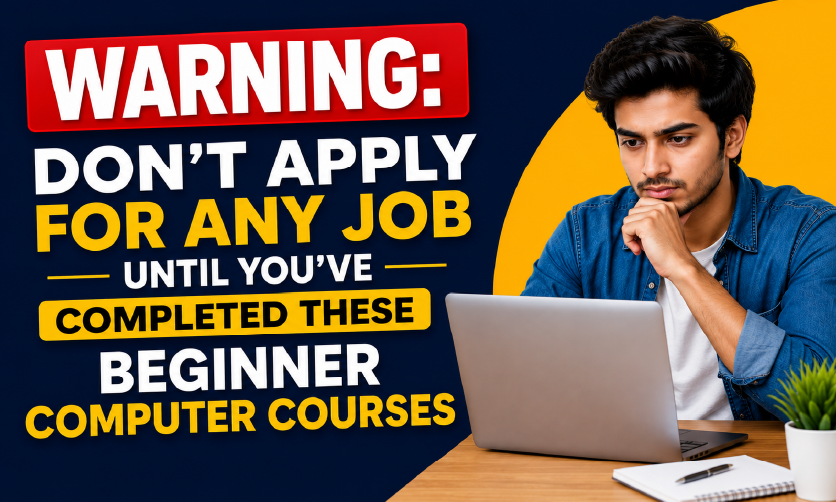
Warning: Don’t Apply for Any Job Until You’ve Completed These Beginner Computer Courses







Quick Answer
Beginner computer courses teach foundational digital skills from typing and internet use to Microsoft Office and basic software that employers expect from almost every job applicant today. The best starting point for most students and freshers is a structured computer training program covering MS Office, email, and data entry, which can be completed in 1–2 months.
Here’s an uncomfortable truth: over 60% of entry-level job listings today require at least basic computer skills, yet thousands of freshers walk into interviews unsure of how to create a simple Excel sheet or format a Word document. If that’s you, you’re not alone, and more importantly, it’s 100% fixable.
Whether you’ve never touched a computer keyboard or you’ve used one casually but never learned it properly, this guide is written for you. By the end, you’ll know exactly what beginner computer courses cover, which skills actually matter for jobs, and where to start without wasting time or money.
Table of Contents
-
- What Are Beginner Computer Courses?
- Why Are Computer Skills So Important for Jobs in 2026?
- How Long Does Computer Training for Beginners Take?
- Is MS Office Still Relevant?
- Common Fears About Starting a Computer Course (And Why They’re Wrong)
- What Should You Look for in a Beginner Computer Course?
- Conclusion: Your Next Step Starts Today
- Frequently asked questions
What Are Beginner Computer Courses?
Beginner computer courses, also called computer classes for beginners or computer training for beginners, are structured learning programs that teach foundational digital skills to people with little or no prior computer experience.
Think of it like learning to drive. You don’t start on a highway. You learn the basics first: how the car works, how to steer, how to park. Computer courses work the same way.
A good beginner program covers:
- Computer basics: hardware, operating systems, keyboard shortcuts
- Internet and email usage
- Microsoft Office: Word, Excel, PowerPoint, Outlook
- File management and cloud storage
- Basic typing speed and accuracy
- Data entry and digital communication
Important: Computer basics for beginners doesn’t mean boring or slow. Modern beginner courses are built around real job scenarios, so you learn by doing, not by memorising theory.
Why Are Computer Skills So Important for Jobs in 2026?
The numbers don’t lie. Across industries from banking and healthcare to retail and logistics, employers now assume their staff can at a minimum use a computer, manage emails, and handle a spreadsheet. It’s no longer a bonus skill. It’s a baseline expectation.
Imagine two candidates applying for an office assistant role. One can confidently create a formatted report in Word and organise data in Excel. The other struggles to find a saved file. Who gets the call back?
Computer skills have become the new literacy. And the good news? They are learnable faster than most people think.
- 65% of jobs require digital literacy skills (World Economic Forum, 2025)
- 3× higher salary for digitally skilled workers vs unskilled peers
- 82% of job postings require basic digital skills (Burning Glass, 2025)
How Long Does Computer Training for Beginners Take?
This is one of the most common questions, and the honest answer is: it depends on depth, but not as long as you fear.
- Basic digital literacy: 2 to 4 weeks with regular practice
- MS Office proficiency: 4 to 8 weeks in a focused program
- Job-ready computer skills: 1 to 2 months
A structured course compresses this dramatically compared to self-learning because you’re not guessing what to study next. You follow a proven path designed around real employer needs.
Is MS Office Still Relevant?
Every few years, someone declares “Excel is dead” or “no one uses PowerPoint anymore.” Every time, they’re wrong.
Microsoft Office holds a global market share of over 85% in productivity software. In India, government offices, banks, hospitals, schools, and private companies almost all use MS Office daily. Learning it isn’t just relevant, it’s one of the highest-ROI skills a fresher can pick up in 2026.
ICA Edu Skills Microsoft Office Course
If you’re looking for a structured, job-oriented Microsoft Office course designed specifically for students and freshers, ICA Edu Skills has you covered. Their program covers Word, Excel, PowerPoint, and Outlook with real-world exercises, certified trainers, and placement assistance built in.
Trusted by thousands of students across India. Designed for zero prior experience.
Your first step into Microsoft Office, the right way
Word, Excel, PowerPoint, and Outlook: expert trainers, NSDC certified and placement support.
Common Fears About Starting a Computer Course (And Why They’re Wrong)
I’m too old to learn computers
Adult learners pick up practical computer skills faster than they expect because they have a clear motivation for career growth. Age is not a barrier. Willingness is everything.
I don’t have a computer at home
Most good beginner courses provide lab access. You don’t need to own a computer to complete a course; you just need consistent practice hours, which a good institute provides.
What if I fail or can’t keep up?
Structured beginner programs are paced exactly for people starting from zero. There’s no shame in starting slow. The curriculum is designed to build confidence step by step.
Online vs offline, which is better for beginners?
For absolute beginners, offline or blended (partly online, partly in-person) courses tend to work better. You get hands-on lab time and can ask a real instructor when you’re stuck. Online is great once you’ve built confidence with the basics.
What Should You Look for in a Beginner Computer Course?
Not all courses are equal. Before enrolling anywhere, check for these five things:
- Curriculum relevance: Does it cover MS Office, internet skills, and typing? These are non-negotiables.
- Certified trainers: Instructors should have formal teaching experience, not just self-taught knowledge.
- Hands-on practice: Theory alone won’t get you hired. Look for projects, assignments, and lab time.
- Placement support: A good institute helps you find a job, not just complete a course.
- Recognised certification: A certificate from a reputable institute carries more weight with employers.
Few related topics for your knowledge
- How To Create A Database Design In Excel: Step By Step Guide
- Custom Number Formatting In Excel: Learn Amazing Tricks To Employ
- Excel Lookup And Reference Functions: A Step By Step Guide
- How to Use Python in Excel – Tutorial and Tips
- Master The Visual Basic Editor In Excel
- Flash Fill In Excel: What Is it & Step By Step Tutorial
Conclusion: Your Next Step Starts Today
If you’re a student, a fresher, or someone looking to switch careers, computer skills are the one investment you’ll never regret. They open doors in virtually every industry, they’re learnable at any age, and a structured course gets you there far faster than trying to figure it out on your own.
You don’t need to master everything at once. Start with the basics. Build from there. And choose a program that’s designed around getting you a real job, not just a certificate to hang on a wall.
Ready to build job-ready computer skills from scratch? ICA Edu Skills offers a focused Microsoft Office course designed for beginners with real exercises, certified trainers, and placement support.
Frequently asked questions
1. Which computer course is best for beginners?
For most beginners, a Microsoft Office course is the best starting point. It covers Word, Excel, PowerPoint, and Outlook skills used in almost every office job. It’s practical, widely recognised by employers, and complete in 4–8 weeks, making it the highest-ROI beginner computer course available.
2. Can I learn basic computer skills in one month?
Yes. With a structured course and daily practice of 1–2 hours, you can become comfortable with computer basics, including file management, internet use, and introductory MS Office within 4 weeks. Job-ready proficiency across all Office tools typically takes 6–12 weeks.
3. What computer skills do employers look for in freshers?
Employers most commonly expect: MS Word (document creation), MS Excel (basic formulas and data management), MS PowerPoint (presentations), professional email skills, and typing speed. For many roles, proficiency in these five areas alone is enough to qualify as a strong entry-level candidate.
4. Are free computer courses for beginners worth it?
Free courses (YouTube, Coursera audits, NIELIT) are useful for self-motivated learners, but they typically lack structured progression, hands-on projects, and placement support. Paid beginner computer courses from recognised institutes offer faster learning, certification, and better job outcomes for first-time learners.
5. Is a computer course certificate important for getting a job?
Yes, a certificate from a recognised institute validates your skills to employers and adds credibility to your resume. For freshers with no work experience, a computer course certificate from a reputable provider like ICA Edu Skills can be the deciding factor in getting shortlisted for an interview.
- Will Learning Advanced Excel Actually Help Me Get a Job? - October 9, 2026
- Skill Development Institute in India - September 26, 2026
- Master Data in SAP PP: The Skill Recruiters Test First - September 18, 2026