.jpg)
















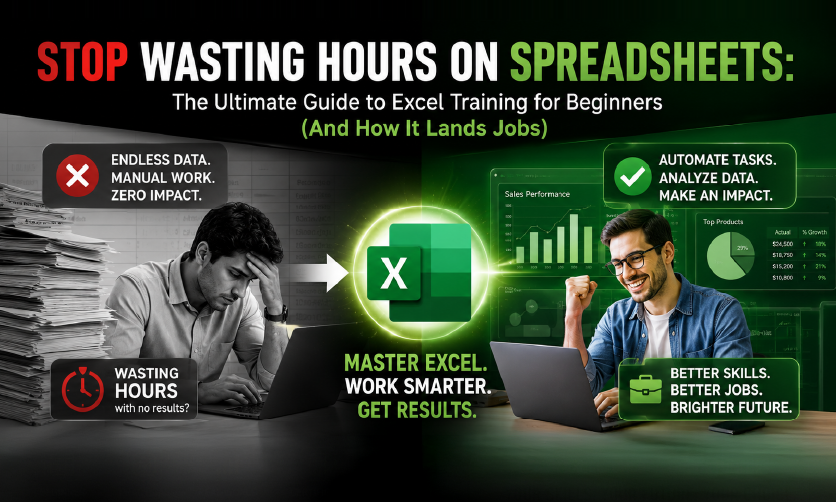
Stop Wasting Hours on Spreadsheets: The Ultimate Guide to Excel Training for Beginners (And How It Lands Jobs)







Summary
Microsoft Excel is the leading spreadsheet application required across modern corporate industries. Comprehensive Excel training for beginners transitions learners from fundamental cell formatting and mathematical operations to advanced corporate data frameworks. Mastery of these structural analytical functions significantly optimises workforce workflow automation, enhances personal workplace scannability, and elevates candidate employability metrics for entry-level and mid-tier professional roles.
Imagine sitting at your desk on your very first day of a corporate job or internship. Your manager hands you a massive, chaotic file with thousands of rows of data and asks for a clean performance report by evening. Suddenly, a cold sweat hits. You try to fix it manually, cell by cell, watching the clock tick away while your anxiety levels skyrocket.
Here is a striking reality check: according to global industry employment tracking data, over 80% of middle-skill corporate jobs require baseline spreadsheet proficiency, yet a massive portion of fresh college graduates lack functional corporate data skills.
If you are a confused student, a nervous fresher, or a career changer feeling stuck, please know this: you do not lack intelligence; you simply lack the right system. Learning Excel is not about memorizing boring grids. It is your ultimate career cheat code for saving hours of work and making yourself instantly employable. Let us break down exactly how you can transform from a complete spreadsheet novice into a data-handling pro.
Table of Contents
Why is Excel Still the Most Demanded Corporate Skill?
In an era dominated by flashy new artificial intelligence tools and automated applications, a common question arises: Is learning Excel still relevant?
Academic and market analyses confirm that Microsoft Excel remains the undisputed, foundational global standard for data analytics, financial accounting, and business operational forecasting across modern industries. While cloud tools like Google Sheets excel at real-time team collaboration, traditional Microsoft Excel is overwhelmingly preferred by corporate professionals because it handles massive datasets, complex mathematical modeling, and advanced visualizations seamlessly without performance lag
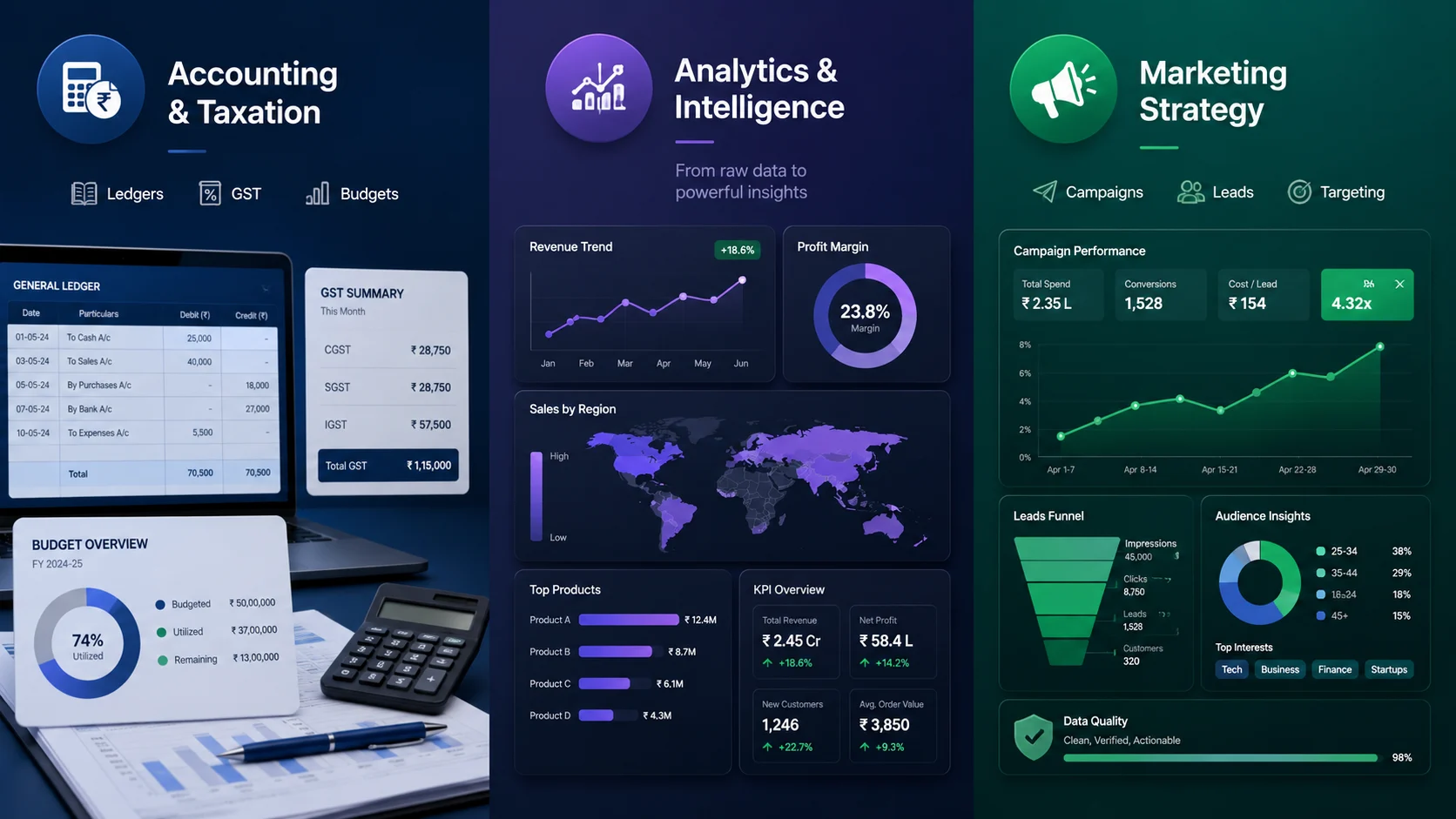
Learning Excel is your gateway to multiple high-paying career tracks:
- Financial Accounting & Taxation: Tracking ledgers, computing GST, and managing corporate budgets.
- Data Analytics & Business Intelligence: Turning chaotic numbers into interactive company dashboards.
- Digital Marketing Strategy: Running automated campaign ROIs, tracking leads, and scrubbing target customer data.
What Does a Beginner Excel Course Actually Cover?
When you enroll in a structured beginner Excel course, you do not just learn where the buttons are. You learn how to think like a data analyst. High-quality foundational programs are strategically mapped to take you step-by-step through distinct functional zones:
| Basic Interface & Formatting | → | Logical Formulas & Functions | → | Data Visualization & Pivot Tables |
To give you an idea of what you will master, let us look at the core curriculum structure that top-tier institutions utilize to build student competence:
1. Navigating the Interface and Data Formatting
This is where your Excel for beginners journey starts. You will master the workspace architecture—understanding worksheets, workbook file systems, cell addressing, and dynamic data types (text, currency, percentage, and dates). You will learn conditional formatting, which automatically colors cells based on set rules to highlight critical performance anomalies or targets instantly.
2. Formulating Logical Answers
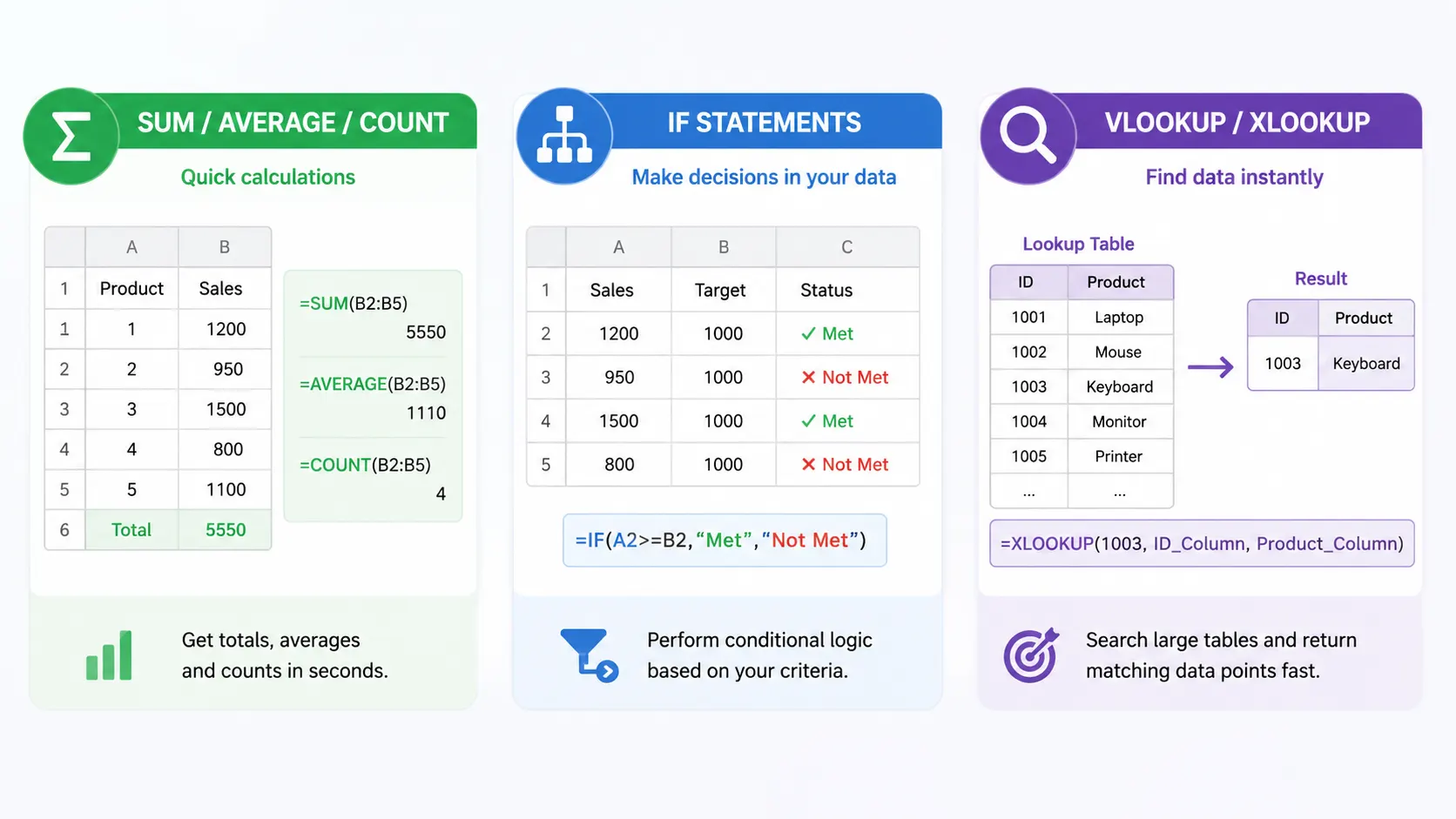
Instead of performing manual math, you will write logical operations to compute formulas automatically. Beginner courses introduce you to essential structural formulas:
- SUM / AVERAGE / COUNT: For rapid numerical aggregations.
- IF Statements: For executing conditional logic based on specific data criteria.
- VLOOKUP / XLOOKUP: For searching across massive tables to find matching data points instantly.
3. Data Cleaning and Optimization
Raw corporate data is messy, riddled with duplicates, blank spaces, and incorrect formatting. You will learn data validation rules and automated text-splitting tools to clean up chaotic datasets before analyzing them.
4. Advanced Visualization and Pivot Tables
Data is useless if your manager cannot understand it. You will move into an Excel beginner to advanced course pathway by mastering Pivot Tables, a tool that summarizes thousands of data rows with a few quick clicks. You will also learn to convert numbers into clear charts, interactive sliders, and corporate performance dashboards.
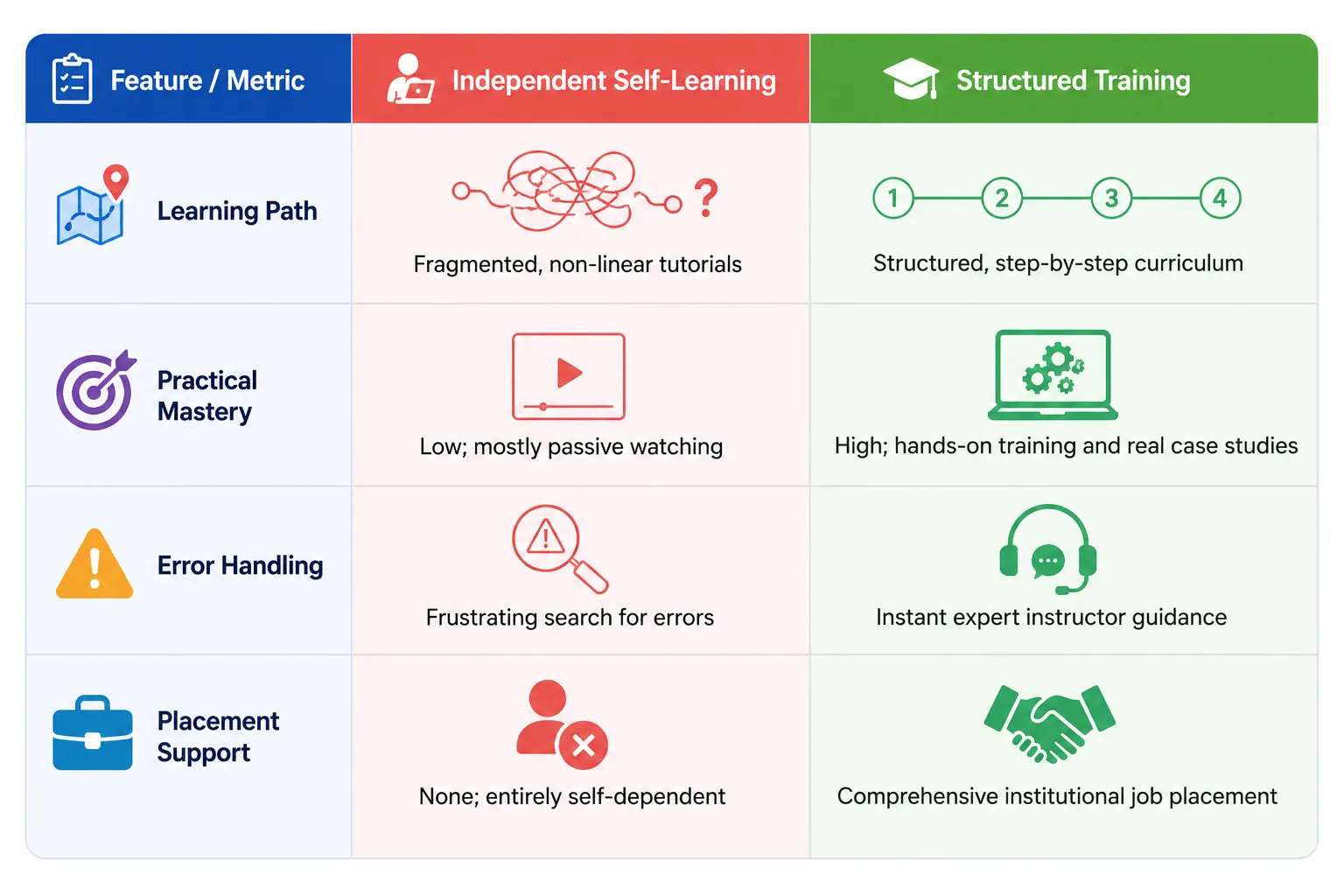
Traditional Self-Learning vs. Industry-Driven Excel Classes
Many students fall into the trap of trying to learn Excel through random online video clips. While self-guided video exploration feels easy, it often lacks a structured, task-oriented application, leaving students confused when faced with real-world problems.
Start Your Career with ICA Edu Skills
If you want to move beyond basic data entry and unlock true corporate career opportunities, generic tutorials will not cut it. You need structured, expert-led training designed specifically for the modern job market.
ICA Edu Skills provides a premier, practical Excel training for beginners program that bridges the gap between academic theory and real-world employment. With a rich history of empowering thousands of students across the nation, ICA Edu Skills focuses on experiential learning. You will work on actual corporate case studies, master complex data optimization, and build functional business dashboards from scratch.
Whether you are looking to enter financial accounting, digital marketing, or business management, our industry-recognized certifications and dedicated placement support give you a clear competitive edge in today’s job market.
Ready to go from Excel beginner to Excel expert?
Take the first real step toward a smarter, faster career with 90% Practical Training and NSDC Certification.
Conclusion: Take the First Step Today
The corporate job market does not reward manual, time-consuming labor; it rewards speed, analytical clarity, and workflow efficiency. Investing your time in a dedicated Excel beginner to advanced course is the absolute fastest way to turn your professional anxieties into competitive workplace confidence.
Stop guessing your way through data. Take control of your career path right now.
Few related topics for your knowledge
- How To Create A Database Design In Excel: Step By Step Guide
- Custom Number Formatting In Excel: Learn Amazing Tricks To Employ
- Excel Lookup And Reference Functions: A Step By Step Guide
- How to Use Python in Excel – Tutorial and Tips
- Master The Visual Basic Editor In Excel
- Flash Fill In Excel: What Is it & Step By Step Tutorial
Frequently Asked Questions
1. What are the basic skills taught in Excel training for beginners?
An introductory course covers workspace navigation, data entry types, row/column formatting, and foundational mathematical operations. Students quickly advance to logical functions like SUM and AVERAGE, sorting filters, data cleaning techniques, and conditional formatting rules used to highlight critical data trends automatically.
2. Can I transition from a beginner Excel course to advanced analytics?
Yes. A structured curriculum is designed sequentially. Once you master basic cell management and formulas, you seamlessly advance to complex tools. This includes creating Pivot Tables, nesting conditional lookup functions (XLOOKUP), writing automated script macros, and building interactive visual dashboards.
3. Why do corporate employers prefer Microsoft Excel over other applications?
While cloud alternatives offer basic online collaboration, Microsoft Excel remains the industry standard. It easily processes massive corporate data files, performs highly complex financial modeling, and provides advanced data visualization packages seamlessly without performance lag or system crashes.
4. How long does it take to learn Excel for beginners?
With a structured training approach and hands-on case practice, a beginner can achieve functional workplace competency within 2 to 4 weeks. Consistent practice with real-world business scenarios is key to developing speed, formula accuracy, and confident problem-solving skills.
5. Are there professional Excel classes for beginners available near me?
Yes. ICA Edu Skills offers dedicated, instructor-led training modules across multiple accessible campus locations. These courses focus on practical, hands-on learning with real business data, providing students with recognized certifications and job placement assistance.