.jpg)
















Automation in Accounting: The Future You Shouldn’t Miss







Imagine closing your month-end books in hours rather than days. Imagine eliminating data entry errors before they cost you clients. That is the promise of automation in accounting, and it’s not science fiction. It’s becoming essential for a successful career.
From handling invoices to reconciling accounts, technology is taking over repetitive tasks, freeing professionals to focus on strategy, insights, and decision-making. But what does this shift mean for the future of accounting careers, and how can you position yourself to thrive in an increasingly automated environment?
In this blog, I will walk you through what automation in accounting means, how it’s reshaping careers, and how you can ride this wave rather than get left behind.
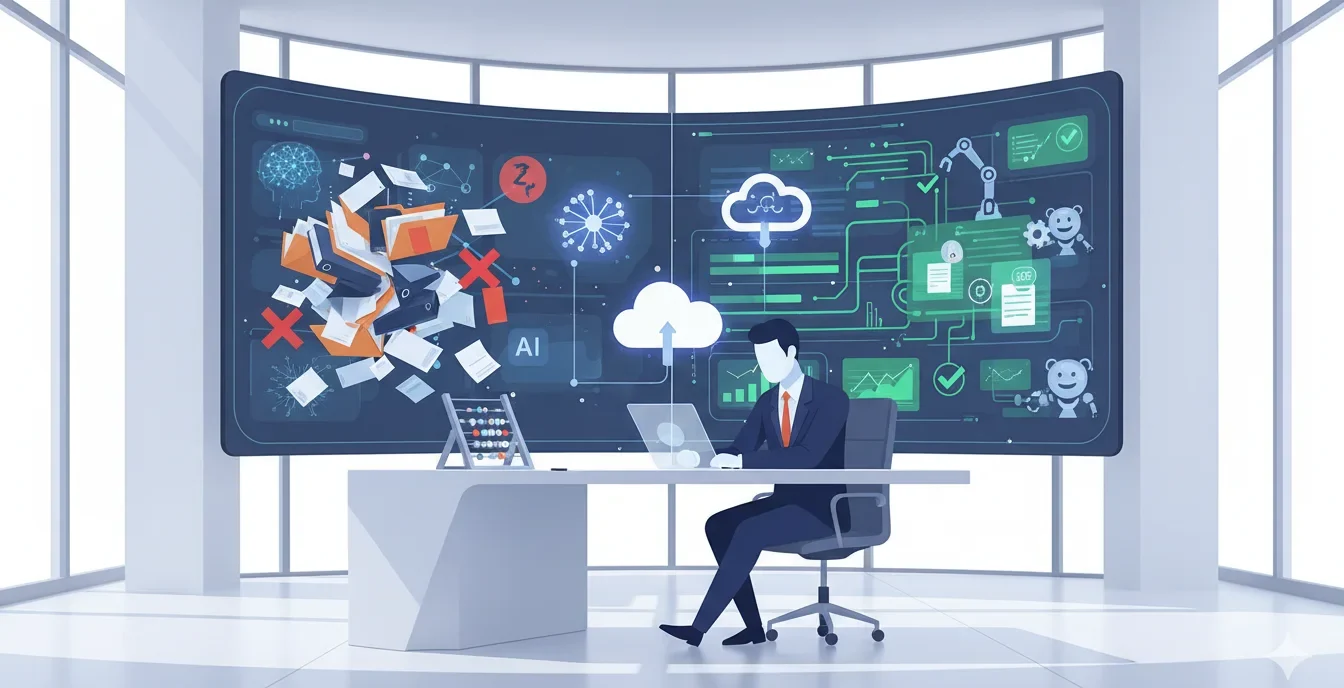
Table of Contents
- What Is Automation in Accounting?
- Why Automation in Accounting Matters
- What You Can Automate: Use Cases & Examples
- How to Adopt Automation in Accounting
- What to Look for in Automation Tools
- Challenges & Risks
- Automation in Accounting and Career Growth
- The Future of Accounting Automation: Emerging Trends and Opportunities
- Conclusion
- Frequently Asked Questions (FAQ)
What Is Automation in Accounting?
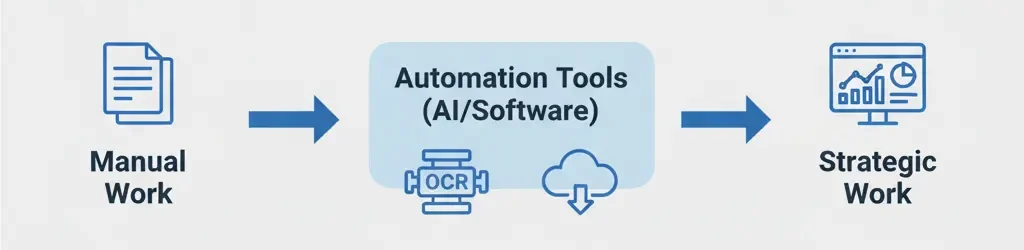
Let’s start simple. Automation in accounting means using software, rules, algorithms, AI, and robotic tools to perform accounting tasks that humans used to do manually. Instead of typing every transaction, reconciling by hand, or checking spreadsheets, you let systems handle repetitive, rules-based work.
Many accounting tasks, data entry, invoice matching, expense classification, are ripe for automation. When done well, automation frees you up to focus on analysis, strategy, and advising stakeholders.
Opt for a NAAC A + AICTE approved BBA Degree1-year paid internship + 10 Simulation Software + 4 Certifications. 90% Practical Learning. |
|
| Bachelor in Accounting and Finance |
Why Automation in Accounting Matters
You might wonder: “Is this just a buzzword?” The answer: No. It’s a career accelerator and competitive shift.
Key Benefits of Accounting Automation
Here are strong advantages:
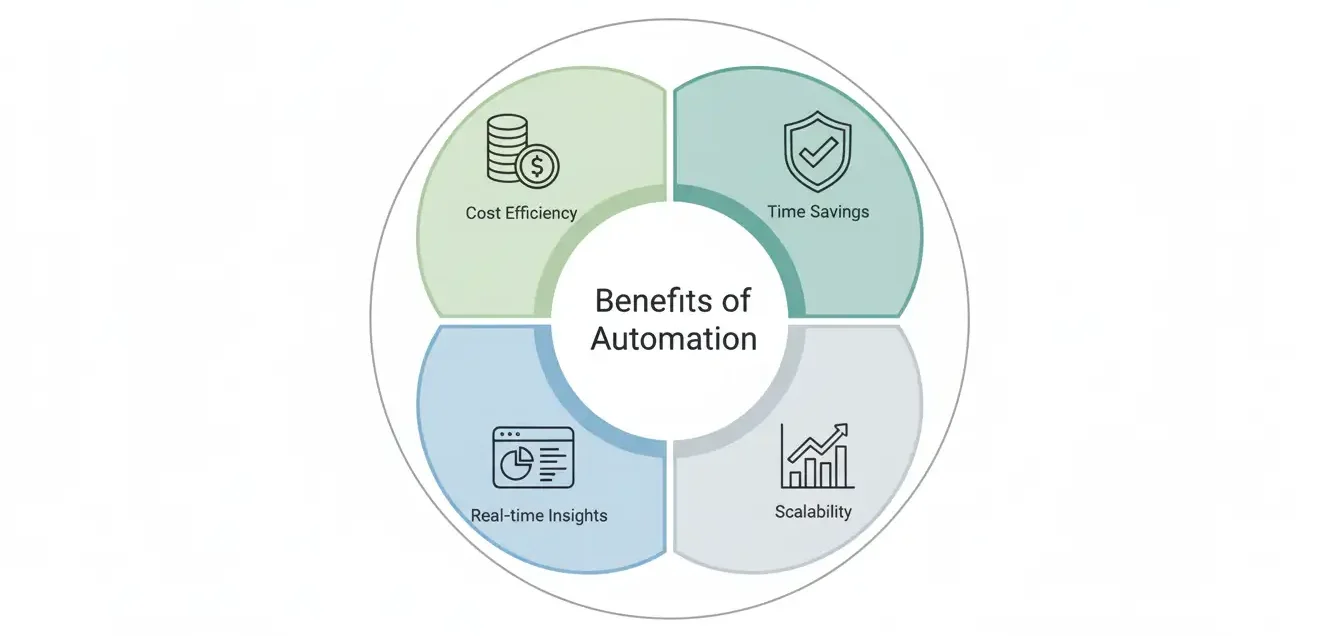
| Benefits | What It Means | Career Impact |
|---|---|---|
| Time Savings | Tasks complete faster | You can take on more clients or projects |
| Fewer Errors | Automated checks reduce mistakes | Your reputation improves |
| Scalability | You can grow without linear headcount growth | You can lead teams, not just do bookkeeping |
| Real-time Insights | Dashboards, analytics on demand | You become a strategic partner in decisions |
| Cost Efficiency | Lower labor cost per unit of work | Firms invest in tech, not just more hires |
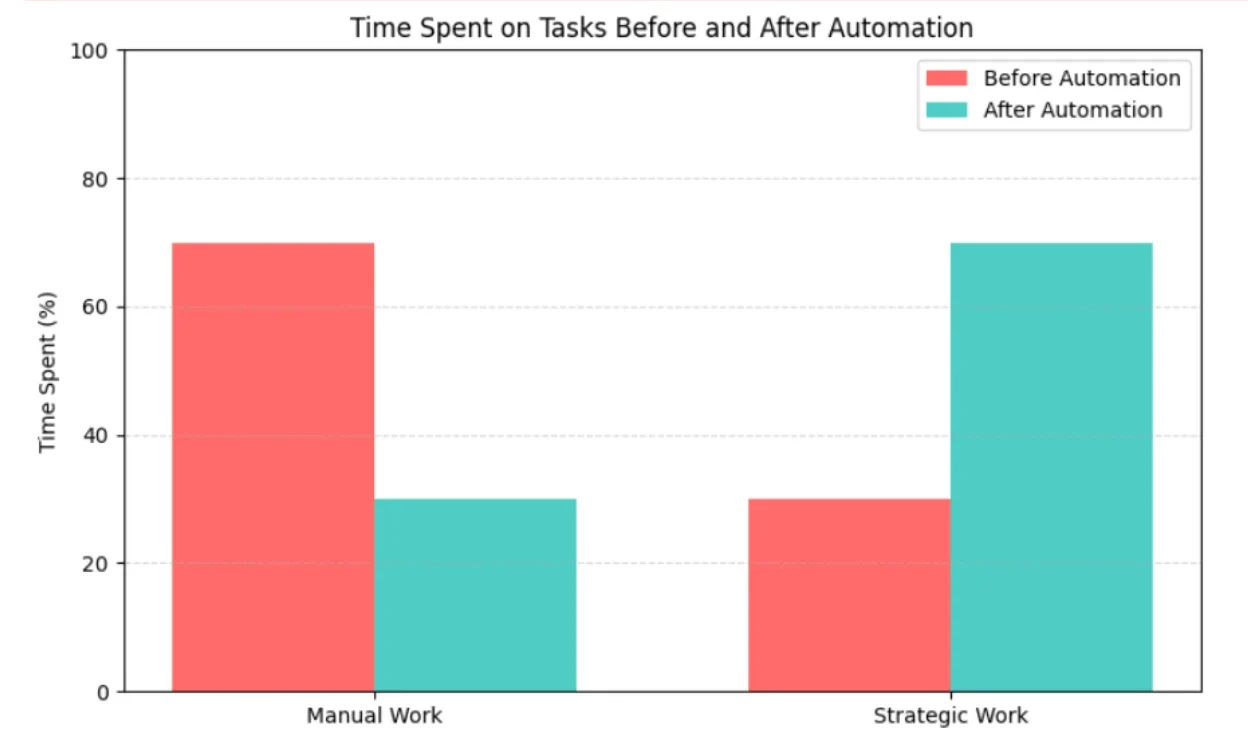
Accounting automation isn’t just about saving hours. It shifts your role upward.
The Changing Role of Accountants
In a fully digital accounting environment, you’d spend less time on manual labour and more time on:
- Interpreting data and trends
- Advising business units
- Risk management and compliance
- Helping set strategy
Many articles state that automation won’t replace accountants, it will elevate them.
In short: The more you lean into automation, the more future-proof your career.
What You Can Automate: Use Cases & Examples
Automation in accounting isn’t one-size-fits-all. Let’s see where it works best.
Common Accounting Tasks to Automate
Here’s a list:
- Data entry & journal import
- Bank reconciliation & statement matching
- Invoice processing & accounts payable
- Accounts receivable & collections
- Expense management & travel reimbursement
- Financial reporting & closing
- Audit trail & compliance monitoring
- Forecasting & budgeting
Some tasks can be partially automated (for example, flagging exceptions), while others can be nearly fully automated.
Automation in Action
Let’s see how automation in accounting works in practice. Below are three everyday tasks transformed by technology.
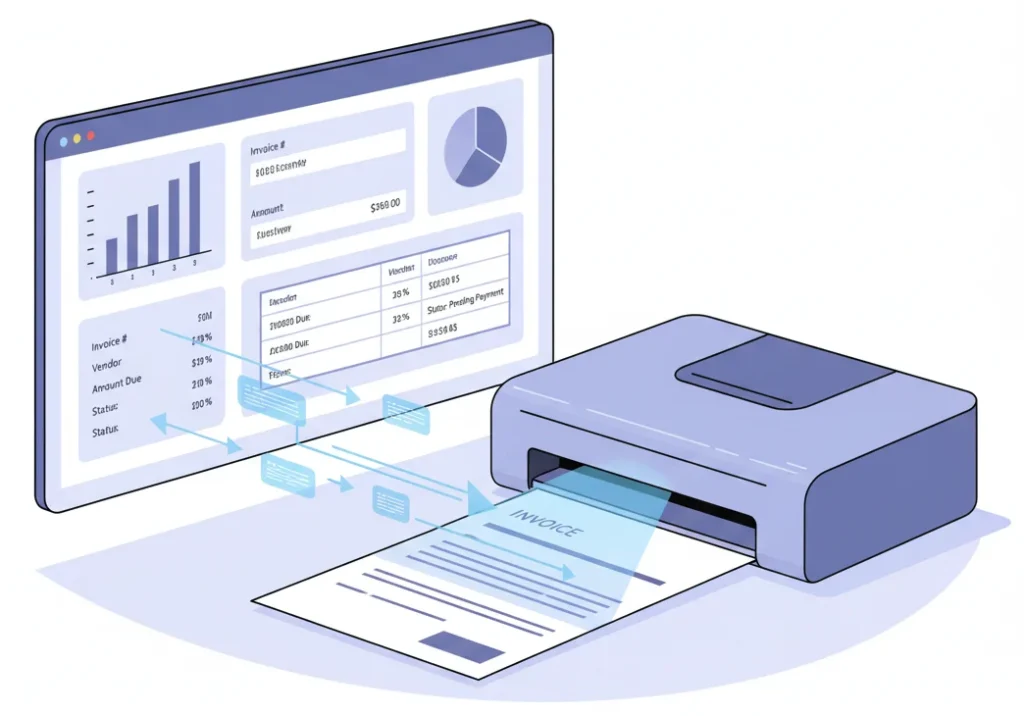
1. Invoice Processing & Accounts Payable (AP)
Traditionally, accountants manually verify vendor invoices, match them with purchase orders, and enter data into accounting software. With automation:
- The system uses OCR (Optical Character Recognition) to read invoices automatically.
- It matches each invoice with purchase orders and receipts using pre-set business rules.
- If all details match, the system posts the transaction automatically.
- Only exceptions, like pricing or quantity mismatches, get flagged for review.
This not only saves hours of manual work but also improves accuracy and cash flow visibility.
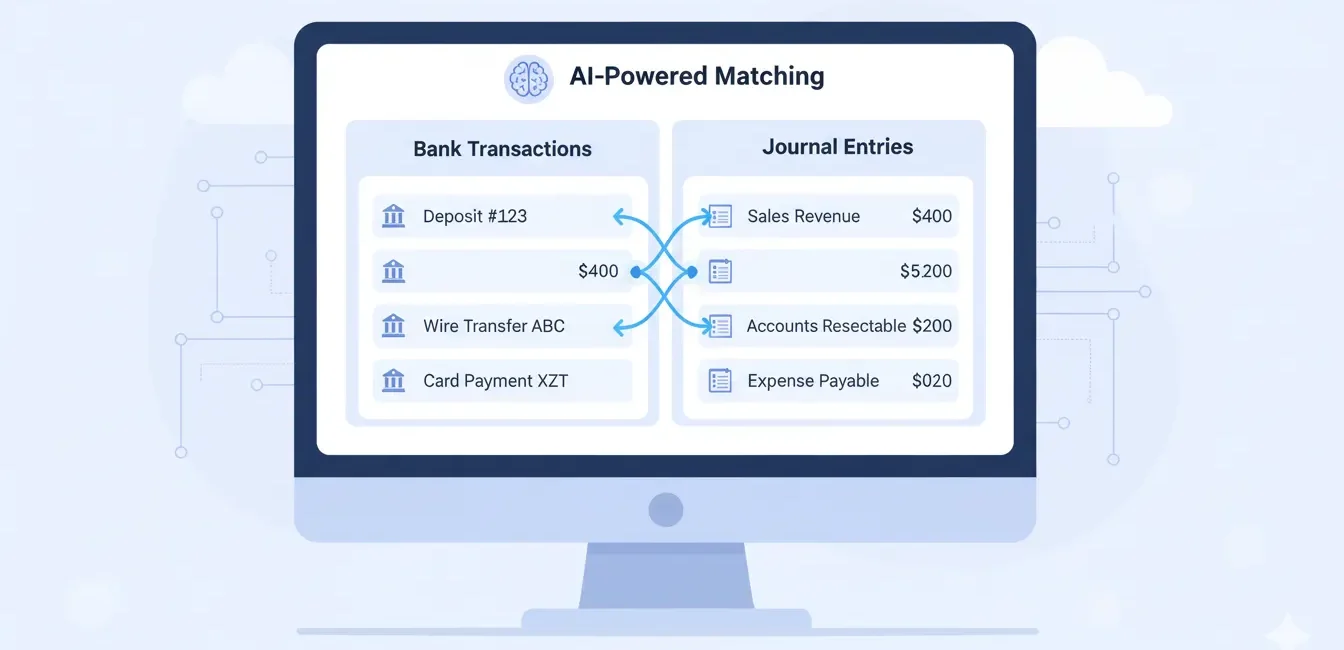
2. Bank Reconciliation & Statement Matching
Manual reconciliations often consume days, especially when transaction volumes are high. Automation makes this process effortless:
- The software imports bank statements directly through secure bank feeds.
- It then matches transactions with journal entries using AI-based pattern recognition.
- Any unmatched or duplicate entries are instantly flagged for review.
This means month-end closing happens faster, and accountants can focus on analyzing trends rather than chasing discrepancies.
3. Expense Management & Travel Reimbursement
Expense claims can be chaotic; receipts, spreadsheets, and endless approval emails. Automation streamlines this process:
- Employees simply upload receipts via a mobile app or web portal.
- The system automatically reads, categorizes, and validates expenses against company policy.
- Approved claims are posted directly to the ledger and reimbursed electronically.
This creates a smoother experience for employees and finance teams alike, while ensuring complete compliance and transparency.

How to Adopt Automation in Accounting
Automation in accounting can transform your workflow, but implementing it successfully requires careful planning. Jumping straight into tools without a roadmap often leads to wasted time and frustration. By taking a structured approach, you can ensure a smooth transition and maximize the benefits of automation.
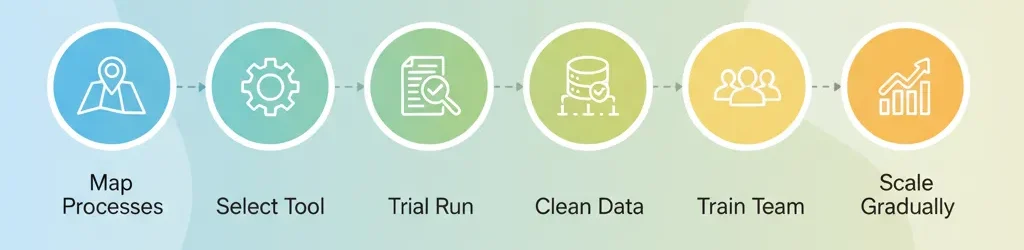
Step-by-Step Implementation
- Map Your Processes and Identify Pain Points
Start by documenting your existing workflows. Which tasks are repetitive, time-consuming, or prone to errors? These are prime candidates for automation. - Select the Right Tool
Not all automation software is created equal. Choosing the right tool is crucial for long-term success. Look for solutions that integrate well with your existing accounting systems and offer the features your team needs. - Start with a Trial Run
Begin by automating a single module, such as accounts payable or expense management. This allows your team to adapt gradually and provides insights for scaling automation later. - Clean and Standardize Data
Automation only works well with clean, consistent data. Standardize vendor names, account codes, and categories to minimize errors. - Train Your Team and Manage Change
Change can be challenging. Provide clear guidance, hands-on training, and highlight the benefits to encourage adoption. Early champions can help drive a smooth transition. - Monitor, Evaluate, and Iterate
Track metrics like time saved, error reduction, and user satisfaction. Use these insights to tweak workflows, rules, and system configurations. - Scale Gradually
Once the pilot succeeds, expand automation to other areas such as accounts receivable, financial reporting, and auditing.
Few related topics for your knowledge
- Job Guarantee Vs Job Assistance: Core Points Of Differences Between The Two
- 10 Life Changing Simulation Softwares To Learn In Upcoming Years
- Top 20 Journal Entries Questions And Answers For Interview
- 15 Essential Inventory Valuation Questions & Answers For Interview
- 50 Important Cash Book Questions & Answers For Interview Preparation
What to Look for in Automation Tools
Selecting the right tool is the key to turning automation into a strategic advantage. The ideal software should simplify your workflows, integrate seamlessly with existing systems, and scale as your business grows.
Key features to prioritize include:
- Integration with your core accounting or ERP system
- AI or machine learning for smart classification and pattern recognition
- Exception handling that flags anomalies for human review
- Comprehensive audit logs and compliance tracking
- Scalability and multi-user access
- Secure cloud deployment
By carefully evaluating tools based on these criteria, you ensure your automation investment is effective, reliable, and future-proof.
Challenges & Risks
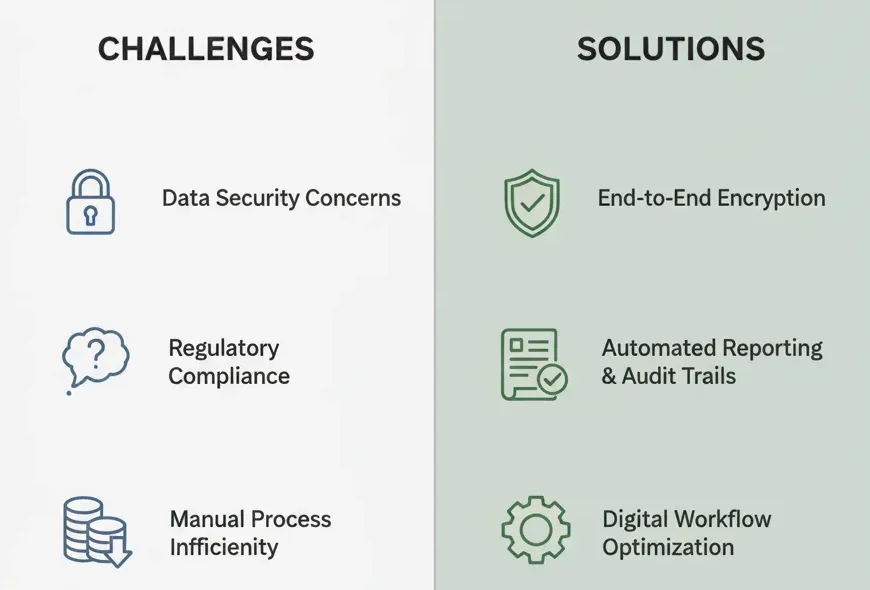
| Challenge | Risk | To ease things up |
|---|---|---|
| Resistance to change | Slow adoption | Strong leadership, communication |
| Poor data quality | Automation fails | Data cleansing, standards |
| System integration mismatch | Gaps or errors | APIs, middleware |
| Over-automation | Too rigid a system | Leave room for human override |
| Security & compliance | Sensitive data risk | Encryption, role controls |
Automation in Accounting and Career Growth
As you embed automation in your work, your role can evolve. Here are ways your career path can benefit:
- Become a process architect: Design workflows rather than execute them
- Advance to manager or director roles: With higher leverage via tech
- Consulting or advisory track: Help other businesses adopt automation
- Specialize in automation tools: Be the “go-to” expert in your firm
Learning automation and tech literacy will soon be a baseline skill for every accountant.
The Future of Accounting Automation: Emerging Trends and Opportunities
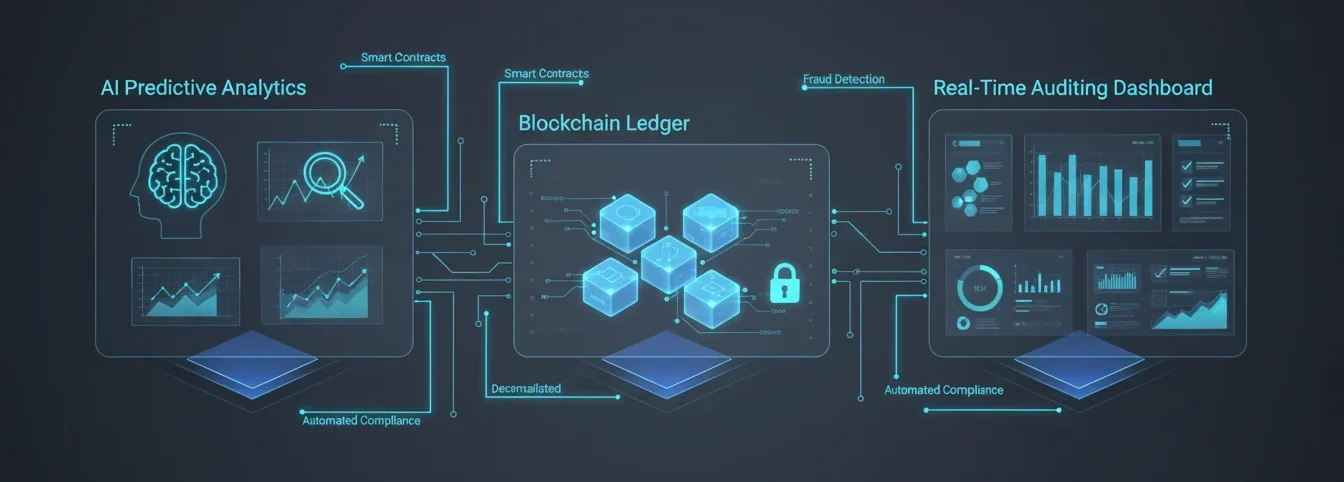
Automation has already changed the way accountants work, but the next few years promise even bigger shifts. From AI-driven insights to interconnected systems, the future is smart, fast, and strategic. Here’s what’s coming, and how you can stay ahead.
1. AI-Powered Insights and Predictive Analytics
Gone are the days when automation was just about repetitive tasks. Modern AI can:
- Analyze financial data in real-time for patterns and anomalies.
- Predict cash flow, revenue trends, and potential risks before they become problems.
- Provide actionable insights, letting accountants focus on strategy rather than spreadsheets.
Think of it as having a digital assistant that not only handles tasks but also suggests smarter business decisions.
2. Seamless End-to-End Automation
Automation tools are evolving beyond isolated tasks:
- Entire workflows—from invoice entry to reconciliation—can run automatically.
- Exceptions or unusual transactions are flagged for human review, maintaining control without slowing processes.
- Teams spend less time on repetitive work and more time on analysis, planning, and advisory roles.
3. Continuous Auditing and Real-Time Compliance
Auditing is shifting from a periodic chore to a continuous process:
- Systems monitor transactions in real-time for errors or compliance issues.
- Instant alerts allow accountants to address anomalies immediately.
- Businesses stay audit-ready all year, reducing stress and improving regulatory compliance.
4. Blockchain for Transparent, Trustworthy Accounting
Blockchain technology is starting to influence accounting in exciting ways:
- It creates tamper-proof, immutable records of transactions.
- Simplifies audits with clear, transparent trails.
- Builds confidence with regulators, investors, and stakeholders, reducing the risk of fraud.
5. Integrated Finance Ecosystems
The future isn’t just about automation in accounting, it’s about connected finance:
- Payroll, procurement, reporting, and accounting systems work together seamlessly.
- Dashboards provide holistic, real-time visibility for decision-makers.
- Accountants evolve from record-keepers to strategic business partners, advising on growth and efficiency.
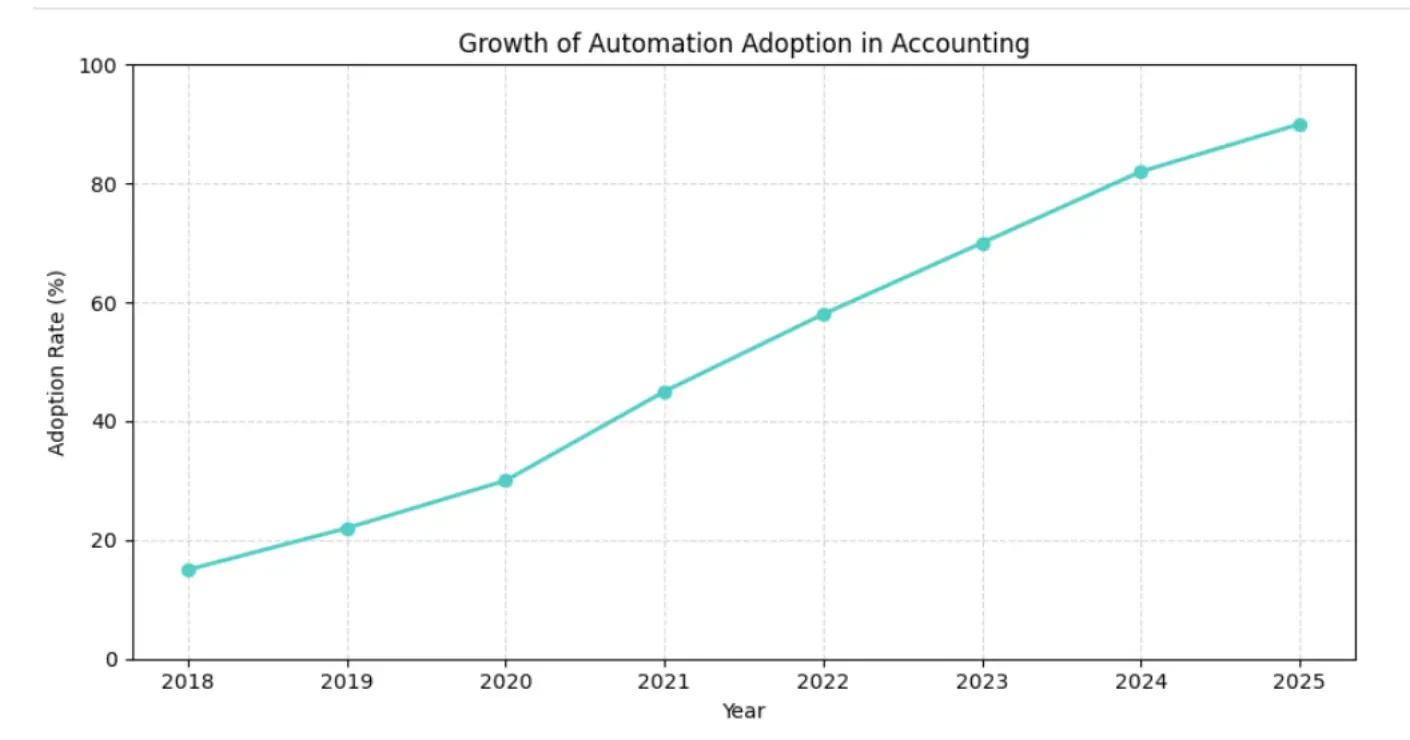
The future of accounting automation is not just about doing things faster, it’s about working smarter, seeing deeper insights, and driving strategy. Accountants who embrace these trends will not only save time but also significantly increase their professional value.
Conclusion
Automation in accounting isn’t a fad. It’s the professional shift happening now, and those who adapt will lead. Start small, invest in the right tools, and keep evolving.
If you’re looking to get hands-on, I encourage you to:
- Map one process you’ll automate this month
- Explore an automation tool with a free trial
- Join a community or webinar on accounting tech
Take that first step. Automation in accounting is your gateway to deeper value, higher impact, and a future-proof career.

Frequently Asked Questions
Q1: What exactly is automation in accounting, and how different is it from traditional software?
Automation in accounting uses rules, AI, RPA to execute tasks with minimal human involvement. Traditional software may help record data, but doesn’t execute logic or exception workflows.
Q2: Which accounting tasks are best suited for automation?
Tasks like data entry, invoice matching, bank reconciliation, expense processing, accounts payable/receivable, and basic financial reporting are ideal.
Q3: Will automation in accounting replace accountants?
No. It will shift their roles. Accountants will focus more on analysis, advisory, strategy, and oversight than repetitive chores.
Q4: How can an accountant build skills around automation?
Learn about RPA, AI, data analytics, scripting or low-code tools, integration APIs, and domain knowledge in accounting systems.
Q5: What are the risks in automation of accounting, and how do you mitigate them?
Risks include poor data quality, over-rigid rules, security issues, and resistance. Mitigate by cleaning data, allowing manual override, enforcing strong access controls, and change management.
Q6: How long does it take to implement automation in accounting in a firm?
That depends on scope. A small module (e.g. AP) may take weeks. Full end-to-end automation can take months or more, depending on complexity, integrations, and organizational readiness.
- Master Data in SAP PP: The Skill Recruiters Test First - September 18, 2026
- Nobody’s Talking About These Basic Computer Skills For Beginners - September 11, 2026
- The GST Return Filing Course That Could Save Your Career - September 5, 2026