













null

Course Overview

Our Power BI course in Chennai mirrors the exact workflow that BI teams at GCCs, automotive engineering centres, and IT services firms use every single working day, from data preparation to interactive dashboard publishing.

  • Data Preparation & Modelling

    Connect to multiple data sources, clean and shape data in Power Query, and build relationships between tables. Master the data modelling foundation that Chennai's GCC recruiters test before any interview moves forward.

  • DAX & Business Calculations

    Write calculated columns, measures, and DAX functions to turn raw transactional data into KPIs, exactly the skill BFSI and manufacturing GCCs across OMR and Guindy expect from a fresher on day one.

  • Interactive Reports, Slicers & Bookmarks

    Design tooltip reports, slicers, buttons, and bookmarks that let business users self-serve their own insights, critical for analyst roles supporting global stakeholders from Chennai delivery centres.

  • Power BI Service & Publishing

    Publish workbooks to Power BI Service, manage workspaces, schedule data refresh, and set access permissions the deployment sequence used by BI teams at Chennai's banking and healthcare GCCs.

  • Geographical Maps & Data Storytelling

    Build map visuals, drill-through pages, and narrative-driven dashboards that make sense to non-technical stakeholders, a skill that separates shortlisted candidates at senior analyst interviews.

  • 90% Hands-On Training

    Every session at ICA's Chennai centre is built around doing, not watching. You work on live datasets, scenario-based dashboards, and projects drawn from Chennai's core industry sectors.

Course Syllabus

Lecture 1 : Introduction to Power BI
Lecture 2 : Prepare Data in Power BI
Lecture 3 : Publish Power BI
Lecture 4 : Service Power BI
Lecture 5 : Desktop Tooltip Reports & Slicers in Power BI
Lecture 6 : Buttons & Bookmarks in Power BI

Module Benefit

Module Benefits:

Artificial Intelligence (Al) | Allows Analysis and Sharing of Big Data Personalized Dashboards and Interactive Reports | Access to Information in Real-time | Excel integration | Profuse Data Sources Support and Integration | Interactive UI/UX Features

Lecture 1 : Flash Fill & Data Validation
Lecture 2 : Advanced Conditional Formatting
Lecture 3 : ASAP Utilities
Lecture 4 : Lookup Functions
Lecture 5 : Match & Index
Lecture 6 : Dynamic Viookup
Lecture 7 : Data Table
Lecture 8 : Solver
Lecture 9 : Financial Functions
Lecture 10 : Sort & Filter
Lecture 11 : PowerPivot
Lecture 12 : Dashboard Creation
Lecture 13 : Power Map & Power Query
Lecture 14 : Macro
Lecture 15 : Array Functions
Lecture 16 : Google Drive
Lecture 17 : Mail Merge

Module Benefit

Module Benefits:

By understanding Advanced MS Excel Course, students will have the ability to use more sophisticated functions, which will allow them to analyse complex and large volume of data to present meaningful information helping in decision making.

Lecture 1 : Hello to Google Drive
Lecture 2 : Introduction to Google Sheet
Lecture 3 : Google Sheet Protection
Lecture 4 : Combine Data from Multiple Google Sheet
Lecture 5 : Google Slides
Lecture 6 : Google Form
Lecture 7 : Google Mail Merge
Lecture 8 : Google Cloud Printing

Module Benefit

Module Benefits:

Domain-based email | Improved team collaboration | Video conferencing | Enhanced data security and Privacy.

Lecture 1 : Google Data Studio
Lecture 2 : Creating Charts & Graphs
Lecture 3 : Filters & Controls
Lecture 4 : Custom Fields
Lecture 5 : Chart Styling
Lecture 6 : User Management: Sharing your Reports

Module Benefit

Module Benefits:

Access unlimited widget options | Pull data from multiple sources | Share Data Studio reports easily | Create easy-to-read reports for everyone | Get dynamic reporting | Build interactive experiences

Lecture 1 : Macro
Lecture 2 : Introduction to VBA
Lecture 3 : Working with Procedures & Functions
Lecture 4 : Customizing the VBA Environment
Lecture 5 : Understanding the Objects
Lecture 6 : Variables & Intrinsic Functions
Lecture 7 : Controlling Program Execution
Lecture 8 : Debugging Code & Handling Errors
Lecture 9 : VBA Programming Functions
Lecture 10 : Excel Form Control & ActiveX
Lecture 11 : Working with Forms & Controls

Module Benefit

Module Benefits:

Automates repetitive and routine tasks | Accessibility to other users | Reduces the formulas burden used in Excel reports | Reduces the turnaround time.

Lecture 1 : Introduction to SQL
Lecture 2 : Platforms to execute SQL codes
Lecture 3 : Creating a table
Lecture 4 : Data insertion
Lecture 5 : Auto increment and primary key
Lecture 6 : Alter table
Lecture 7 : Delete
Lecture 8 : Update
Lecture 9 : Top clause
Lecture 10 : String functions
Lecture 11 : Aggregate functions
Lecture 12 : Constraints
Lecture 13 : SQL join
Lecture 14 : Insert sub-query
Lecture 15 : Delete sub-query

Module Benefit

Module Benefits:

Commonality & Simplicity | Integrate easily with other programming languages | Ability to function at a high operating speed | No need of complex coding skills for data extraction.

Watch a Live Dashboard Being Built

Join a free demo session at our Chennai centre and see the exact skills you'll master before you enrol.

Reserve My Free Demo Seat

Demand for Power BI Course in Chennai

  • GCC Boom Across OMR & Guindy

    Chennai's 300+ GCCs across OMR and Guindy added nearly 95,000 jobs recently, and BI-literate talent is among their most searched skills.

  • Automotive & Engineering Hub

    Ford India Technology Center, Hyundai Motor India Engineering, and RNTBCI in Chennai need analysts who turn shop-floor data into dashboards.

  • BFSI & Healthcare Back-Offices Expandin

    Standard Chartered GBS, Barclays, and AstraZeneca's Chennai centres are scaling risk, compliance, and healthcare analytics on Power BI.

  • IT Services Demand Across Chennai

    Cognizant, Photon, NTT DATA, Sopra Steria, and Ideas2IT are hiring Power BI developers in Chennai for client-facing dashboard projects.

Career Opportunities

Roles you can target after a Power BI course in Chennai

  • Power BI Developerr

    Build reports, dashboards, and data models for IT services and GCC clients across OMR, Guindy, and Ambattur.

    ₹3.0 – 5.5 LPA

  • Business Intelligence Analyst

    Own KPI dashboards, DAX measures, and stakeholder reporting for BFSI and healthcare GCCs based in Chennai.

    ₹2.5 – 6.0 LPA

  • Data & Reporting Analyst

    Handle data cleaning, Power Query transformations, and recurring MIS dashboards for manufacturing and automotive engineering centres.

    ₹2.8 – 5.0 LPA

  • Senior Power BI Analyst

    Lead dashboard architecture, workspace governance, and data refresh pipelines for GCC BI teams in Chennai.

    ₹6.0 – 14.3 LPA

  • BI Consultant (IT Services)

    Deliver Power BI projects for global clients through Chennai-based IT service providers like Photon, NTT DATA, and Ideas2IT.

    ₹5.0 – 12.0 LPA

  • Power BI Trainer

    Deliver Power BI upskilling sessions for Chennai IT firms and GCCs building in-house analytics teams.

    ₹3.5 – 8.0 LPA

Power BI Certification

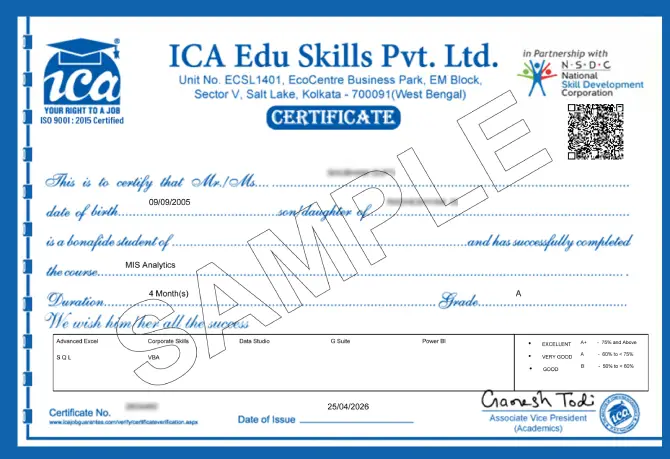
Finish the course and clear the final assessment to earn a certification from ICA Edu Skills, jointly endorsed by the National Skill Development Corporation (NSDC), a Government of India body that validates the quality and industry-readiness of your training. This is the credential that Chennai hiring managers at GCCs, IT services firms, and automotive engineering centres recognise when they see it on a resume.

MIS Certification

Salary Insights

  • Certified Power BI freshers in Chennai start at ₹3.0–4.7 LPA, well above uncertified candidates in MIS-only roles at ₹1.8–2.5 LPA.

  • Power BI developers with 1–3 years' experience earn ₹4.7–10.0 LPA, with GCC and BFSI roles paying at the higher end of this band.

  • BI analysts combining Power BI with SQL earn ₹4.75–9.6 LPA, and those adding automation skills earn up to 35% more on top.

  • Senior Power BI developers and BI leads with 5+ years earn ₹10.0–14.3 LPA+, with Chennai pay running 15–25% above other Tier-1 cities.

Sources: Glassdoor Chennai Power BI Developer Salaries (2025-26); PayScale India BI Analyst with Power BI Skills (2026); Indeed India Chennai listings (2026); ExcelGoodies Power BI Salary Report (2026)

Min salary Max salary
₹125k ₹100k ₹75k ₹50k ₹25k ₹0
Fresher
(0–1 yr)
Junior
(1–3 yrs)
Mid-level
(3–7 yrs)
Senior
(7+ yrs)
Monthly salary in ₹ · Chennai Market

Our Power BI Training Institutes in Chennai

ICA Salt Lake
Chennai Teynampet
Tamil Nadu, Chennai

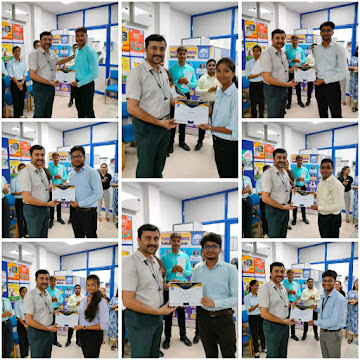
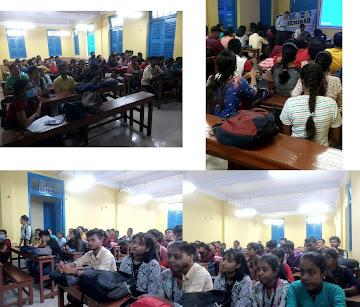
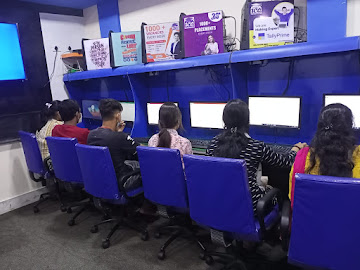
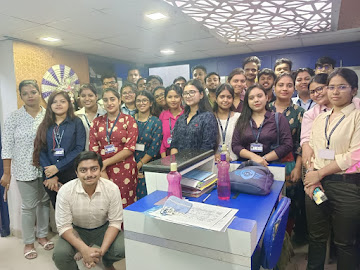
Events and Activities

  • certificate distribution
  • classroom
  • mock interview
  • practical lab room
  • students

Our Alumni  Worked At

What Our Students' Says

Sufal Ghosh
Sufal Ghosh
...

This course gave a solid foundation in MIS and analytics. Some topics were challenging at first, but the step-by-step guidance helped. More real-life case studies would be nice, but overall, it’s a great start for beginners in data analysis.

Gabber Singh
Gabber Singh
...

ICA’s MIS course gave me practical skills in Excel, dashboards, and reporting that are directly useful in the workplace. The training was hands-on and easy to follow. Thanks to ICA’s placement support, I was able to secure a job shortly after completing the course.

Ratnakar
Ratnakar
...

ICA’s MIS Analysis course provided me with strong practical knowledge in data management and reporting. The hands-on training and real-time exercises enhanced my analytical skills. Ideal for a career in management

FAQs

Frequently Asked Questions

Yes. The curriculum includes live dashboard projects, DAX case studies, and mock case-round practice modelled on how Chennai's GCC hiring teams evaluate candidates.

Absolutely. The course starts from data preparation basics and builds up to full dashboard publishing, designed for Excel users making the exact switch automotive and manufacturing teams need.

Yes. You learn to connect, query, and model data from SQL Server sources inside Power BI, directly matching job listings from Chennai firms like NTT DATA and Photon.

Yes, if you're certified. Standard Chartered GBS and similar Chennai GCCs hire on demonstrated dashboard-building ability, not college software exposure. The 90% hands-on format closes exactly that gap.

Yes. Map visuals, drill-through pages, and location-based reporting are covered, directly useful for Chennai's automotive, logistics, and supply-chain employers tracking multi-site data.

ICA's Chennai centre offers placement support mapped to local hiring partners across OMR, Guindy, and Ambattur, connecting you to Power BI openings in IT services, GCCs, and manufacturing firms.

Enquire Now

Share this page

Share this page’s details with your family and friends.